
When meet the problem of the keycap stem is off How to solve it
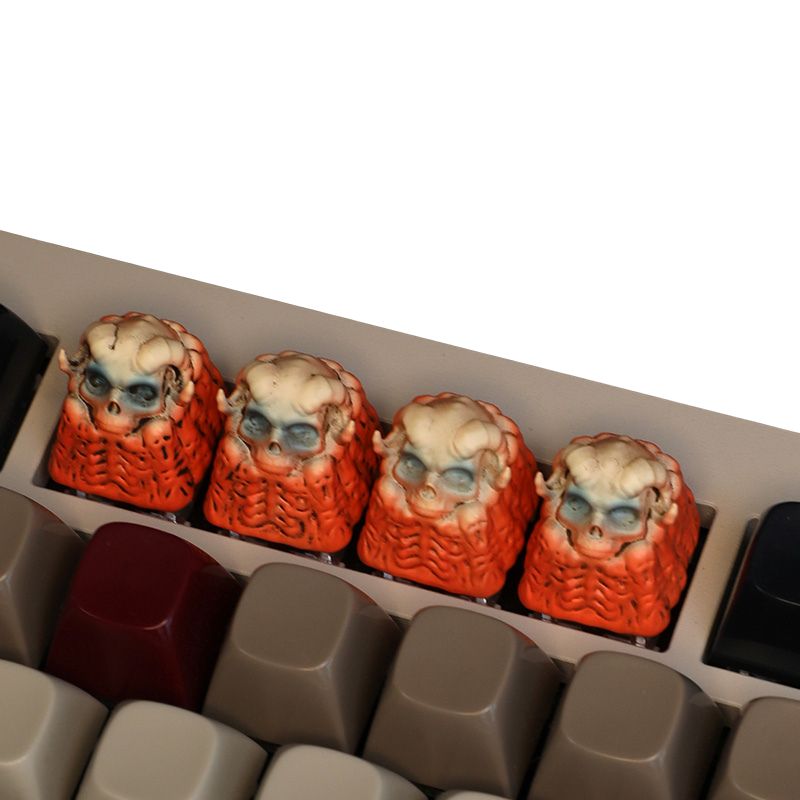
If a keycap looks “crooked” after installation, it’s usually one of three things: the keycap stem is off, the switch stem is off, or the stabilizer/plate is forcing the key at an angle. Here’s a professional way to diagnose it fast and fix it without damaging anything.
Step-by-step diagnosis (2 minutes, no guesswork)
1) Do the “cap vs. switch” swap test
-
Remove the crooked keycap.
-
Put that same keycap on a different switch (preferably a key that looks perfectly straight).
-
Put a known-straight keycap on the original switch.
Interpretation
-
Crooked follows the keycap → keycap stem tolerance / molding issue (cap problem).
-
Crooked stays on the same switch → switch stem issue or the switch isn’t seated straight (switch/assembly problem).
-
Only large keys (Space/Enter/Shift) are crooked → stabilizer issue 80% of the time.
2) Check if the switch is seated correctly (hot-swap boards)
A slightly lifted switch can tilt the stem.
-
Press down firmly on the switch housing (keyboard unplugged) to ensure it’s fully clicked into the plate.
-
Inspect from the side: the switch should sit flush with the plate.
Fix: Reseat the switch. If a hot-swap socket pin is bent, correct it before reinserting.
3) Inspect the stem and keycap mount
-
Look at the switch stem “+”: is it twisted, cracked, or uneven?
-
Look inside the keycap stem: is the cross hole clean and centered?
Fix options
-
Switch stem visibly deformed/cracked: replace that switch (best long-term experience).
-
Keycap stem slightly off-center: move that cap to a less visible key (like F-row or a macro key), or request a replacement if you have QC coverage.
4) If it’s a stabilized key, treat stabilizers first
For Spacebar / Enter / Backspace / Shifts:
-
Make sure the wire is fully seated in both stabilizer housings.
-
Confirm both stabilizer inserts move freely and return evenly.
-
A stabilizer that’s dry, over-lubed, or misaligned can “pull” the cap sideways.
Fix: Reseat the keycap carefully (press straight down on both ends), and if needed:
-
Realign stabilizer housings,
-
Check for wire pop-out,
-
Correct any binding (light lube + proper alignment beats forcing).
Best practice to prevent crooked caps
-
Always install by pressing straight down, not at an angle.
-
Avoid over-tight stems; never force a cap that feels “too tight.”
-
Use consistent-quality keycaps and switches—crookedness often comes from tolerance stacking (cap + switch + plate).
Quick rule
-
Crooked moves with the cap = keycap issue.
-
Crooked stays with the switch = switch seating/stem issue.
-
Crooked only on big keys = stabilizer alignment/binding.
How to choose correctly (fast) Keycaps



